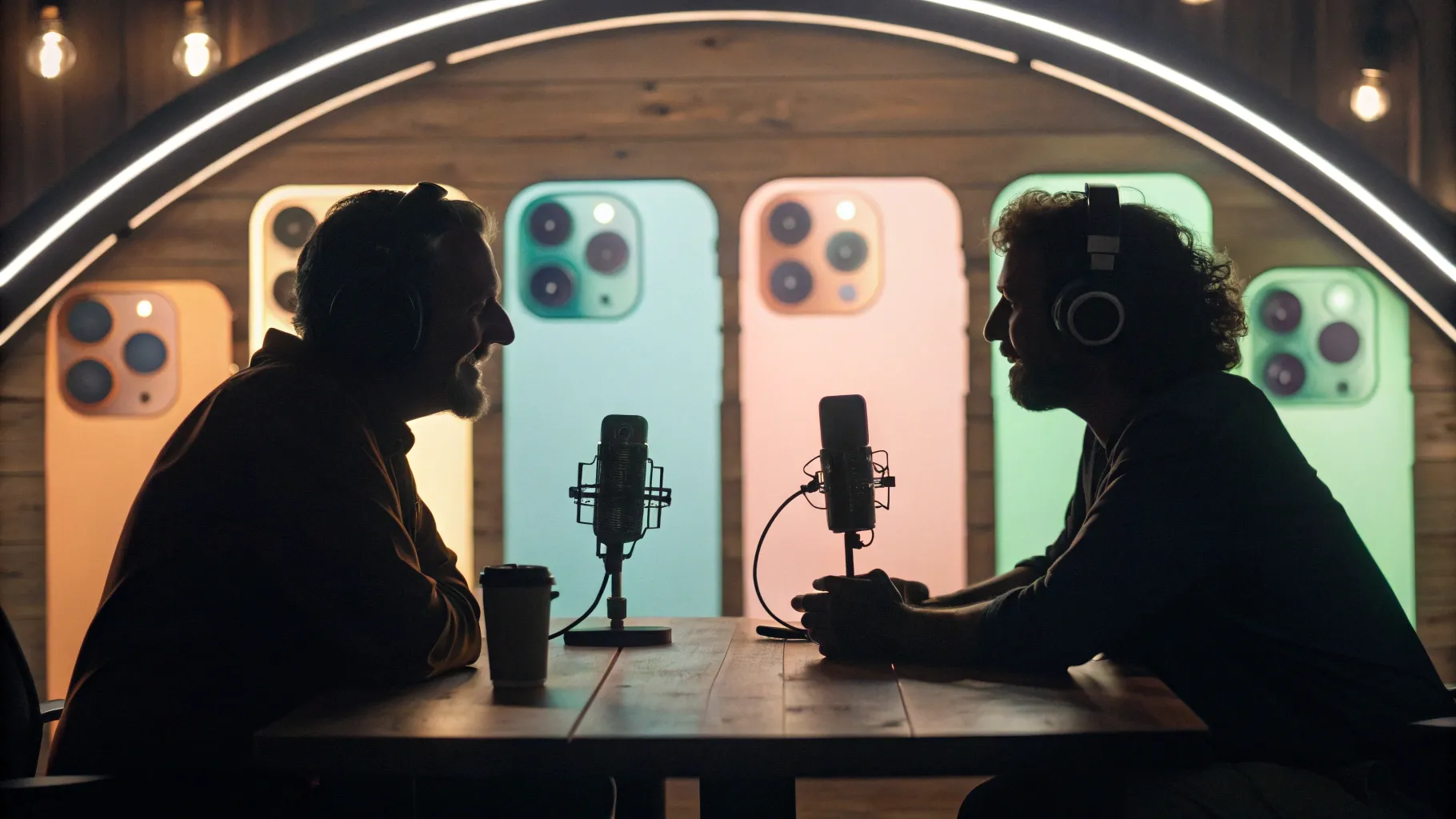
🎤 Introduction: Why I sat down with Rachid and what this conversation was about
I’m Venkat Prapaka, and I had the chance to join Rachid Finge on the Made by Google podcast to reflect on a decade of Pixel. That conversation — released by Google — revisited the shift from Nexus to Pixel, the strategic choices we made early on, and the long, multiyear bets that enabled features you see in Pixel 10 today. In the podcast I shared memories from the early days (including the launch on October 4, 2016), personal moments that influenced major product decisions, and a behind-the-scenes look at the “full-stack” philosophy that drives Google’s approach to hardware, software, and AI.
This article reports on that conversation and expands on the topics we discussed. I’ll walk you through the origin story of Pixel, why a first-party phone mattered, how the team thought about multiyear investments such as Tensor, the rise of computational photography (including Night Sight), and how owning the full stack lets us deliver features like ProRes Zoom, Live Translate, and MagicQ. I’ll also share the harder parts: the choices to exclude features and the pressures of carrying Google’s brand on a device.
🛣️ My journey to Google and the Nexus roots
I joined Google back in 2010. I came aboard the Chrome OS team because what they were attempting felt audacious. It wasn't just about building laptops — it was about rethinking an entire category and proving a radical idea: browsers could form the basis of a modern OS. Working on Chrome OS, and closely with Sundar Pichai, shaped my view of product development. Sundar’s leadership and patient, coach-like approach influenced how I learned to be a product manager.
From Chrome OS, my path took me to several hardware programs and eventually into Android. At the time, Android’s hardware efforts bore the Nexus name. Nexus was a yearly program where the Android team partnered with different hardware manufacturers to showcase the best of Android. Starting with the Nexus One in 2010 and through several generations, Nexus devices were a way to demonstrate what Android could be when Google pushed the platform’s boundaries. Those devices were inspirational and crucial to Google’s hardware learning.
When people say Nexus, there’s a warm nostalgia. Nexus devices were opinionated Android devices: they were reference implementations that highlighted Google's vision for software and services on phones. For me, Nexus six p was especially meaningful because I worked on it. Nexus five, which preceded my time on the team, was another milestone product that showed the power of marrying clean software with bold hardware choices.
🔄 Why we pivoted from Nexus to a first-party Pixel
On the surface, it might have seemed like Nexus already gave Google phones. But Nexus’s cadence and structure made certain kinds of progress difficult. Nexus was an annual program and typically partnered with a different hardware manufacturer each year. Those partnerships were productive, but the one-year cycle constrained how deep we could invest in foundational technologies and long-lead items like custom silicon.
To put it plainly: some bets need time. If you want to invest deeply in something that requires multiple years of research, prototyping, and iteration — whether it’s a new computational photography pipeline, on-device AI acceleration, or a custom SoC (system on chip) — having a program that resets every year creates friction. It becomes harder to sustain continuity and accumulate expertise across multiple iterations.
That’s why we decided to build a first-party product under our own brand. A first-party product lets you make multiyear bets. It lets you think in timelines measured in quarters and years, not just in product cycles. It lets you own the end-to-end experience: hardware design, the operating system layer, application-level integrations, and the silicon that powers those experiences. In one line, the question I kept asking was: How do we make multiyear, deep investments and see them through?
The answer was Pixel.
📛 Naming Pixel: a thread from Chromebook to phones
When we started the first-party phone effort, the Pixel name already existed within Google hardware. The first Google-built Chromebook was called the Chromebook Pixel (around 2012), and later we had the Pixelbook. The Pixel name had become shorthand for “Google-first hardware.” So when the decision to build a Google phone became real, Pixel was a natural fit.
Names matter. Pixel conveyed attention to the smallest elements of display, camera pixels, and the idea that we could craft something where hardware and software felt like a single, coherent product. It felt right for the ambition at the time: to bring the best of Google’s software and AI into a phone we fully controlled.
🧭 Our focus building the OG Pixel: cohesion, AI, and computational photography
From day one we focused on making the software experience feel cohesive and unified end-to-end. We wanted every interaction to feel like part of one product, not a stitched-together collection of components. That’s a simple-sounding statement, but it’s operationally demanding. Hardware engineers, system-level teams, app teams, UX designers and AI researchers all had to converge around a single set of priorities.
One of the biggest bets during the early Pixel days was computational photography. We believed, and I still firmly believe, that software and AI have the power to transform imaging faster than hardware alone. While lenses and sensors improved slowly across generations, computational methods — clever algorithms, machine learning inference, and new ways to combine multiple exposures — could yield dramatic improvements in image quality relatively quickly.
A visible manifestation of that bet was Night Sight. Night Sight emerged from the desire to solve a very personal problem I faced as a father of two young children: the photos I wanted to take of my kids were often in low light — at bedtime, during celebrations under dim lights, or candid family moments. Turning on a bright flash destroyed the mood. Low-light photos were usually disappointing. That personal need motivated us to invest time and engineering talent into the problem of low-light photography.
Night Sight, which stitches multiple exposures and uses algorithms to reduce noise and preserve detail, became one of the signature features of Pixel photography. It’s an example of how a product team can identify a user pain point, build a technical approach to address it, and refine that approach across years. These things don’t happen overnight — they’re multiyear efforts carried by a long-term program like Pixel.
📅 The day we launched: October 4, 2016
I remember being at the event the day we unveiled Pixel and Pixel XL. If you’ve ever been involved in a big launch, you’ll know the mix of elation and stress. This was different because the Pixel carried Google’s own brand fully on the device — not just as a partner reference. That carries responsibility.
"The whole idea of Pixel was to bring the best of Google's hardware, software, and AI, in a very cohesive way."
Rick Osterloh said that on stage at the first Pixel launch and it still gives me goosebumps. It captured the vision succinctly. We had promised a phone that would be greater than the sum of its parts. That promise set the tone for the next decade.
🧩 What it means to "own the full stack" — and why that matters for AI
One of the phrases I used on the podcast that keeps coming up is “full stack.” People use that term a lot, but I want to be explicit about what it meant for Pixel and why it has been essential for AI features.
Owning the full stack means thinking and building across multiple layers:
- Application layer: the apps and services that surface features to users.
- Operating system: Android and system-level integrations.
- Hardware devices: displays, cameras, sensors, battery design, and chassis engineering.
- Silicon: the CPU, GPU, NPUs/TPUs, ISP (image signal processor) — the physical chips that make on-device compute possible.
Each of those layers has its own long-lead decisions. Silicon, for example, requires roadmap decisions years in advance. You have to choose what to prioritize: transistor budget for CPU cores, neural processing units for AI inference, hardware accelerators for image pipelines, or power optimizations for battery life. Those choices shape what you can do in software later.
When you own the full stack, you can design a silicon architecture tailored for the software experiences you want. You can co-design the hardware and software so that AI models run efficiently on-device, that image pipelines are optimized end-to-end, and that features like low-latency voice translation or live real-time effects feel natural and immediate.
That’s what Tensor — our custom silicon — is about. Tensor is the result of a multiyear investment meant to deliver an optimized mix of CPU, GPU, and on-device AI acceleration tuned for the kinds of experiences Google wanted to deliver on Pixel phones. A chip like Tensor is not built overnight: it’s a multi-year cycle from definition to silicon tape-out to final product. Owning the stack let us define that roadmap and align it to product priorities.
🔬 How full-stack thinking unlocked ProRes Zoom and other features
On Pixel 10 we introduced capabilities like ProRes Zoom — a 100x zoom solution that combines computational photography with the capabilities of the Tensor silicon. This is a concrete example of full-stack synergy. The camera system has physical optics and sensors; the image processing pipeline stitches multiple frames and corrects artifacts; and Tensor provides the compute resources and specialized accelerators needed to run complex models at reasonable latency and power budgets.
To make a feature like 100x zoom feel usable, it’s not enough to have a high-resolution sensor or a periscope lens alone. You need:
- Optical design that provides a range of focal lengths while keeping the device size manageable.
- Algorithms to align, denoise, and reconstruct details at extreme digital zoom ranges.
- Low-latency hardware to make the feature intuitive and interactive in the camera UI.
- Software-level UX decisions to present the feature in a way that’s predictable to users and helps them compose great shots.
ProRes Zoom is not just a marketing line; it’s the visible result of years of coordinated work across hardware, algorithms, and silicon engineering.
🌍 Features that feel magical: Live Translate and MagicQ
There are so many AI features in Pixel 10 that picking a single favorite is tricky, but Live Translate and MagicQ are among my favorites because they solve very tangible, everyday problems.
Live Translate: creating real-time conversation bridges
The first time I saw Live Translate in a demo, I remember feeling like I was watching science fiction become real. Imagine calling someone who speaks another language and being able to hear translations in their voice, in near real time. The speech recognition, translation models, and text-to-speech synthesis happen with such fidelity and low latency it feels like a smooth conversational exchange.
On a personal level, this feature has profound potential. My mom lives in India and doesn’t speak English; my children grew up in the US and speak English. That language gap means a lot of subtle things go unsaid during calls. Live Translate could let my children converse naturally with their grandmother without the awkward stops and paraphrasing that happen when both sides try to find the right words. It’s a deeply human benefit that stems from the willingness to invest in on-device models and low-latency processing.
MagicQ: surfacing what matters when it matters
MagicQ (called Magic Compose in some internal contexts) is a feature designed to reduce friction during stressful or context-heavy interactions. Consider this scenario: You call an airline or a hotel to resolve an issue. The agent asks for a booking code or reservation number. Most of us then scramble to find the booking email, switch apps, and search through messages.
MagicQ anticipates that moment. With permission, when you place the call, the phone recognizes the context and surfaces relevant information — your reservation codes, flight details, or other tickets — right in the call screen. That small piece of UX eliminates friction and the stress of switching contexts in the middle of a call.
Features like MagicQ are possible because the phone knows how to connect signals across apps (call context, calendar, email, and messages) and can process them locally in a way that respects privacy and latency. This is another example of full-stack coordination: UX design, system permissions, on-device indexing, and AI inference all play a role.
🤖 Gemini and the role of large models on-device
Gemini is part of the evolving set of capabilities that bring powerful generative and multimodal AI to users. I use Gemini daily across multiple products. What strikes me most is the rate of improvement — week to week or month to month — and the kinds of tasks it can help with.
One of my favorite uses for Gemini is deep research. In my role, I often need to understand complex, technical, or cross-disciplinary topics quickly. Gemini helps me dive deep into a subject, ask clarifying follow-ups, and get a structured synthesis that I can use as a baseline. That conversational, iterative exploration changes how you approach research. It’s no longer linear — you can probe, pivot, and validate quickly.
On Pixel devices, our goal is to deliver the best possible Gemini experience. That requires careful integration of on-device compute, network usage patterns (when to call out to cloud services versus local processing), and UX that keeps users in control of their data and interactions. The progress in this area is remarkable: models are getting smaller, more efficient, and yet more capable, which lets us provide more powerful experiences with lower latency and better privacy controls.
🛠️ The hard decisions: what we choose not to include
One of the most difficult responsibilities for a product manager is deciding what not to include. Whether it’s a product line we decide not to pursue or a feature that isn’t ready for prime time, exclusions are hard because they mean saying "not yet" to ideas and to users who expect continuous innovation.
We work on more ideas than we ship. Many of those ideas are incredible, but they may not reach the bar for reliability, privacy, performance, or UX coherence. Making those calls requires discipline. Sometimes a feature is technically possible but not reliable; sometimes it conflicts with other priorities; sometimes it would require a hardware change that’s incompatible with our roadmaps. In all cases, the team must choose where to invest limited resources to maximize long-term product quality.
That tension — between ambition and readiness — is constant. It’s painful sometimes, but it’s also what forces a program like Pixel to focus on delivering polished, meaningful experiences rather than a long list of half-baked features.
🧭 Balancing the fan base and broader audiences
We’ve always known Pixel has very loyal fans. That’s a blessing and a pressure. Early adopters who’ve been with us since Nexus or Pixel 2 care deeply about certain values: clean software experiences, timely updates, and a camera that punches above its weight. When we transitioned to a first-party product, a key question was: How do we continue to serve that passionate community while also building products for a broader audience?
That balancing act influences many decisions: How opinionated should the default UX be? When should we prioritize accessibility and price-point to reach more people? How do we keep the core identity of Google’s phone while expanding into categories like watches, earbuds, foldables, and more affordable A-series phones?
The answer has been to expand the lineup while keeping core values intact. Pixel today is not a single device; it’s a family of products that serve different needs. We’ve built premium flagships, midrange accessible models, wearables, and audio devices — all with a consistent focus on software-driven experiences and AI that elevates the daily user experience.
📈 How the Pixel lineup evolved over the decade
Comparing the OG Pixel to Pixel 10 reveals massive growth, not just in raw specs but in scope and product diversity. A few key trends stand out:
- Broader lineup: We now offer a range of devices from foldables to more accessible A-series models. This breadth lets us serve many price points and use cases while maintaining a clear thread of Google-first software experiences.
- Accessory ecosystem: Pixel Watches and Pixel Buds expand what a Pixel owner can expect. These devices aren’t afterthoughts; they’re systems that work with the phone to provide unified experiences like health tracking, seamless audio, and notifications.
- Better hardware-software integration: Each generation tightens the integration between Android, our apps, and the hardware. This shows up in faster, more intelligent camera features, smoother multitasking, and on-device AI features that feel native.
- Custom silicon: Tensor is a major milestone in our ability to tailor hardware to software needs. Over several generations, Tensor has improved performance-per-watt and on-device AI capabilities, enabling more advanced experiences without sacrificing battery life.
🧭 A decade in: common threads across all Pixels
Even with so much evolution, some core principles remain consistent from Pixel 1 to Pixel 10:
- Integration of hardware, software, and AI: This remains Pixel’s north star. The promise from day one is to bring these together cohesively.
- Focus on everyday usefulness: Whether it’s Night Sight, Live Translate, or MagicQ, our features aim to reduce friction in the moments that matter.
- User-centric design: We prioritize features that make people’s lives easier — from better low-light photos to smoother device transitions.
- Long-term investment: Many of the breakthroughs you see today (Tensor, advanced computational photography) are the result of multiyear programs started long before they shipped.
🔭 Looking forward: what the next decade feels like
What excites me most about the future is less about raw specs and more about the role phones will play as personal computing companions. The phone is still the most personal device people carry. It knows context, it’s with you everywhere, and it can be a proactive helper in ways that weren’t feasible a few years ago.
Imagine a phone that anticipates your needs based on context, privacy-aware local models that respect your data while giving you powerful experiences, and deeper multimodal interactions where images, text, audio, and sensor data work together to make the phone truly helpful. That’s the direction we’re heading.
Gemini and other advances in generative models will play a huge role. But success here won’t be just about model size; it will be about careful product integration, privacy safeguards, and models designed to be useful in the everyday tasks people need to accomplish.
🔁 Reflections: the emotional and practical stakes of building Pixel
There’s a vulnerability in putting your company’s brand on a product. When Pixel launched, we felt that responsibility acutely. That pressure forced us to be disciplined, to prioritize product quality, and to think long-term.
But it was also joyous. I loved walking the halls and understanding the breadth of Google’s work, seeing teams come together around a user problem, and watching ideas evolve from whiteboards to silicon to product. Those are the memories that stay with me — the late-night design reviews, the “aha” moments in evaluating an algorithm, and the first demos that felt truly magical.
One memory I always return to is the clip Rick played at the very first Pixel launch — that articulation of Pixel’s ambition. Hearing the vision on stage and seeing it come alive over the next decade is moving. It’s a reminder that big ideas need long-term commitment, patience, and the willingness to make hard decisions about what not to ship.
📣 Questions from the Pixel community: the hardest decision we make
We opened the conversation to the Pixel super fan community, and one question from Sebastian stood out: What is the most difficult decision when designing a Pixel product?
My short answer: it’s what we choose not to include. The number of ideas and prototypes that don’t make the cut is huge. Sometimes features aren’t ready. Sometimes they conflict with other priorities. Sometimes the cost or battery impact outweighs the benefit. Saying “not yet” or “no” is as much a part of product leadership as saying “yes.”
Those decisions are why some features feel polished when they ship. The team is constantly filtering and prioritizing so that what goes into Pixel meets the bar of quality and usefulness we expect.
✅ Closing: thanks, and why I remain optimistic
Reflecting on ten generations of Pixel feels like looking at a long arc of ambition, work, and lessons learned. We started with the Nexus spirit: showcasing what Android could be. Transitioning to Pixel let us make multiyear bets and own the end-to-end experience. That ownership has paid off in tangible ways: custom silicon, breakthrough computational photography, and AI features that feel personal and practical.
I’m proud of what the team built, and I’m excited for what’s next. Phones will continue to evolve as personal assistants and creative tools, and owning the full stack positions Pixel to deliver those experiences in ways that feel seamless and respectful of people’s data and context.
Thank you to the community who has been with us — from Nexus to Pixel 10. Your feedback, patience, and enthusiasm shaped many of our choices. And thank you to everyone who listened to the Made by Google podcast episode where Rachid and I had this conversation. It was an honor to share the OG story and to look forward with you.
📌 Takeaways and quick summary
- Pixel began as a deliberate shift: moving from Nexus annual cycles to a multiyear-first party program to enable deeper investments.
- Full-stack ownership matters: hardware, software, and custom silicon like Tensor enable new AI-driven experiences on-device.
- Computational photography is a long-term bet: features like Night Sight arose from multiyear effort and personal user needs.
- Everyday AI features: Live Translate and MagicQ solve concrete problems and are made possible by modern on-device AI.
- Hard choices are constant: product teams must regularly decide what not to ship to keep the user experience polished.
✉️ Final note: join the conversation
If you’re a Pixel fan, a developer, or someone who cares about how hardware and AI come together to shape daily experiences, keep sharing feedback. The best products are built with users in mind, and your experiences guide the roadmap. I’m excited to keep building and to continue this journey with the community.
— Venkat Prapaka


