I’m Francis Ho, Product Manager for Pixel Watch, and I’m excited to take you on a behind-the-scenes tour of Pixel Watch 4—why we designed it the way we did, the engineering choices we wrestled with, and the features I’m genuinely most proud to put on my wrist every day. This article draws on my conversation on the Made by Google podcast produced by Google, where I sat down with Rashid to discuss the launch of our most ambitious Pixel Watch yet. I’ll walk you through our "shaped by water" design language, the breakthrough Actua 360 dome display, the new side charging system, improvements to battery life and sensors, and the bigger design decisions—like making the watch user-repairable—that required us to rethink nearly everything.
I’ll speak plainly and personally about what mattered to me on this project. I’ve been working on wearables for over a decade—starting at Misfit, then Fossil’s hybrid and smart watch lines, and now six years at Google. Wearables are personal products that people choose to wear every day; that makes the design and engineering both highly rewarding and unforgiving. In this article I’ll explain the choices we made, share anecdotes from development (including a late-night dog walk that helped validate Raise to Talk), and give you a clear sense of what Pixel Watch 4 brings to the market.
🕒 Why wearables? My journey into wearables
I’ve spent most of my product career building wearable devices, starting at Misfit where we made simple, elegant activity trackers (Misfit Shine and Misfit Ray) and then at Fossil, working on hybrid watches that blended traditional hands with a hidden display. Those early experiences shaped how I think about two critical aspects of wearables: the moment-to-moment relationship a person has with a device, and the potential for wearables to produce meaningful, life-improving outcomes.
Wearables are unique: people choose to put them on each morning or night. That choice is incredibly personal—how the device looks, how it feels on the wrist, and what it promises to do during the day or while you sleep. I love the intimacy of that relationship. On a practical level, wearables can enable safety benefits—like the time a wearable helped me after a bike accident—or deliver long-term behavior change in health and fitness by offering timely nudges and clear metrics that reflect progress.
Hybrid watches taught me to balance form and function. On Fossil’s hybrid line, we had a traditional aesthetic—hands, dials—and a small display tucked under the crystal. That product line forced me to think about how to embed digital information into physical craftsmanship. The Pixel Watch lineage carries forward that obsession with craft and a commitment to delivering software and hardware that feel like a unified whole. For Pixel Watch 4 I wanted to push that further: more distinctive styling, a more immersive display, better battery life, and meaningful sensor and safety upgrades.
🌊 Shaped by Water: Our enduring design language
From the first Pixel Watch we’ve pursued a design idea I call "shaped by water." The objective is simple: create a watch that appears to float and that invites you to glance at it often. A watch is for looking at, for expression, for feeling. We want people to feel unique when they wear Pixel Watch, and to have a design that’s instantly recognizable.
"I can always like instantly spot a Pixel Watch, not because it's something I've worked on, but because the look is so distinctive."
That quote captures a core metric of success for our industrial design: distinctiveness. Whether you’re in a room full of smartwatches or a street full of traditional watches, "shaped by water" aims to stand out. The dome cover glass, the curved display beneath it, and the way UI elements hug the edge are all part of that visual language. But design goes beyond visuals: it's also about how the watch feels on your wrist and how the software brings the surface to life.
To maintain that identity while evolving the product, we iterated across multiple dimensions. We refined proportions to increase screen real estate without losing the soft, organic forms. We asked ourselves how watch faces and the system UI should interact with the dome—how animations should morph, where buttons should sit, and how tactile feedback should complement the visual softness. Consistency mattered: we wanted a family look across generations so that Pixel Watch is recognizable at a glance.
🏗️ Actua 360: The dome display and the engineering behind it
One of the most visible and technically demanding changes in Pixel Watch 4 is the Actua 360 display. Instead of a flat panel beneath a domed glass, the display itself is curved to match the dome, resulting in a continuous, immersive "dome effect." That was not an incremental change; it was a reimagining of the watch surface.
The benefits are immediate and tactile: Actua 360 gives you a roughly 10% larger usable display area and reduces bezels by about 16%. On a wrist-worn device, every millimeter of viewable information counts. The curves also change how people perceive information—icons pop, edges appear softer, and the screen feels like it’s floating above the wrist.
But making that happen required coordination across industrial design, display engineering, software, and manufacturing. We had to test durability—how a curved display responds to impacts, pressure, and long-term wear—and ensure consistent manufacturing yields when producing the complex curved glass and underlying display elements. We validated optical clarity, touch responsiveness at the edges, and how colors rendered across the curved surface. All of this was necessary to ensure that the Actua 360 experience felt premium and, importantly, reliable at scale.
From a software standpoint, the curved display invited us to rethink layout and interactions. Edge-hugging buttons, shape-morphing lists, and animated transitions in our Material 3 Expressive UI were optimized to take advantage of the dome’s sense of depth and flow. The UI needed to feel like it belonged under the dome, not pasted onto it. That’s the level of cohesion we aimed for.
🛠️ Making it repairable: Serviceable by design
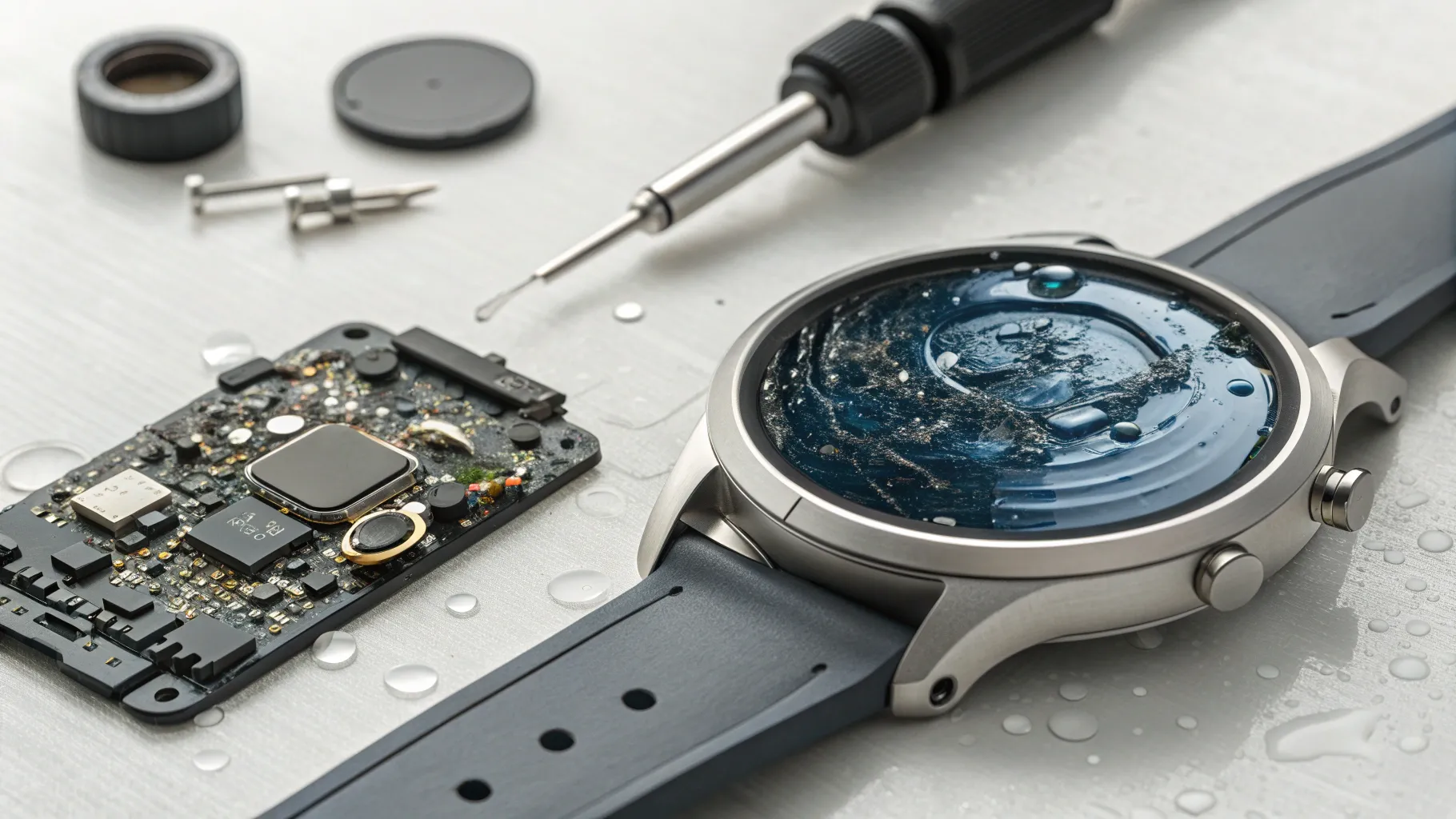
For Pixel Watch 4 we made a bold decision: design the watch to be user-repairable. This choice impacted nearly every engineering decision and forced us to approach the product as something that would be assembled, disassembled, and reassembled routinely—by trained technicians and potentially by end users.
Designing for serviceability is fundamentally different from designing for sealed, disposable products. When you create a sealed product, you focus on assembly efficiency, waterproof sealing, and minimizing accessory points. When you design something that can be taken apart, you must consider the mechanical sequence of removal, cable routing, the presence of connectors vs. adhesives, and how components behave when handled by humans who aren’t in a factory.
We had to rethink structural adhesives, the use of screws, cable connectors, and the internal layout so that parts can be removed without cascading failure or creating loose components that fall out during disassembly. We also put a lot of care into the user-facing experience for repairability: the inside of the watch has a color and finish language that mirrors the exterior so that when someone opens the device, it feels intentional and well-crafted, not like a jumble of parts.
Another dimension was safety and guidance. We built a serviceability guide and a clear set of indicators inside the watch that show which areas are safe to work on and which aren’t. The goal was to make repair straightforward, minimize the risk of damaging sensors or cables, and to provide a delightful repair experience rather than a stressful one. That attention to interior aesthetics and ergonomics is not just about good looks—it's about respecting the user who will open the device and empowering them to maintain it.
🔋 Battery life, microprocessor improvements, and the 30/40-hour leap
Battery life is a central constraint for any smartwatch. For Pixel Watch 4 we delivered a meaningful step forward: the smaller model targets around 30 hours of battery life, while the larger model aims for 40 hours. That’s a 25% or more increase over prior generations. That improvement wasn’t just the result of a single change—it was the outcome of a holistic optimization across hardware components, firmware, and software behavior.
Key levers we pulled included:
- Component selection: Choosing sensors and subsystems with better low-power characteristics.
- Processor efficiency: The new microprocessor is significantly faster while consuming less current. Faster processing means tasks finish quickly and the chip can return to low-power sleep states sooner.
- Software optimizations: Ensuring that features don’t remain active unnecessarily, improving how background tasks are scheduled, and reducing always-on display and sensor polling where possible.
- Battery chemistry and capacity: Careful sizing of the battery while preserving thinness and comfort.
One important behavioral implication of longer battery life combined with faster charging is the possibility of different charging patterns. If charging is faster and less intrusive, users can adopt short “naps” of charging during the day rather than planning long overnight charges. That changes how people integrate wearables into daily life, and we intentionally designed to encourage that kind of flexibility.
⚡ Side charging and the new charging experience
Pixel Watch 4 introduces a side charging dock and a new charging UX that rotates the watch display into a bedside or desk clock orientation when the device is docked. Instead of laying the watch flat on a puck, you place it sideways into a small dock. The screen rotates and shows a charging watch face with the time, alarm, charging progress, and an estimate of time remaining until full.
We didn’t design this solely to be a novelty. Charging is a frequent and frictionful part of wearable ownership, and we wanted to create a purposeful place for the watch to rest. The dock is meant to be more than another cable on your nightstand; it’s meant to be a designed object that holds the watch when you’re topping up its battery. The fast charging capabilities paired with the dock create a charging ritual that’s quicker and more meaningful.
Because the watch sits sideways, it becomes a miniature desk or bedside companion while charging. It’s readable at a glance and can display contextual information like alarms and remaining charge time. That helps users decide whether a short 15–20 minute nap will get them to where they need to be for the afternoon or whether they should plug it in overnight.
From an engineering standpoint the side charger also played into our serviceability re-architecture. Changing the position of charging contacts created opportunities for internal layout improvements, while maintaining an elegant external experience. That is a good example of a hardware change and a software UX upgrade converging to make daily usage simpler and more delightful.
🗣️ Gemini on the wrist and Raise to Talk
One of the most transformative software experiences we launched on Pixel Watch 4 is integration with Gemini, enhanced by a feature we call Raise to Talk. Gemini brings powerful on-device assistance to the wrist, but I’ve learned over the years that technical capability is only half the story—how people access that capability matters just as much.
Raise to Talk is designed to be a natural, frictionless gesture: raise your wrist to speak, and the watch recognizes that intent and opens Gemini. This is especially useful when your hands are full, when you’re in public and want discretion, or when you simply don’t want to fumble with a phone. I remember testing Raise to Talk on a dog walk. My hands were full, people were around, and I just needed to quickly check whether Costco was still open. I raised my wrist, asked, and Gemini gave me the answer—Costco was already closed, and I saved myself a trip. That immediate utility is exactly the behavior we wanted to enable.
Raise to Talk is more than a convenience—it's an accessibility and safety improvement too. Voice interactions on the wrist are faster than many phone interactions for quick queries, setting reminders, or triggering actions, and when paired with a capable assistant like Gemini, they become genuinely useful. We focused on intent recognition, latency, and accuracy so that Raise to Talk feels natural. The watch can distinguish between casual wrist movements and the gesture of intent to talk, minimizing false wake-ups while making access quick and intuitive.
🏃 Health and fitness: sleep, recovery, and activity recognition
Health and fitness remain core strengths for Pixel Watch. Our approach is to provide useful, actionable metrics and to integrate them into a broader readiness and recovery narrative. Sleep sits at the center of that arc—how you sleep influences your recovery and readiness for the day ahead.
For Pixel Watch 4, we improved sleep cycle detection by approximately 18%, enhancing our ability to classify light, REM, and deep sleep. Better sleep staging gives more reliable morning insights about your recovery and readiness. We use those improvements to inform daily recommendations—whether you should push harder in a workout or take a rest day—and to close the loop between night and day.
Another major update is our AI-powered activity recognition. We know people don’t always remember or want to manually start an activity. With improved on-device AI we can detect runs, walks, bike rides, and common cross-training activities automatically. That means your weekend pickleball match or an impromptu bike ride can be captured and counted toward your training plan without extra clicks. For runners and multi-sport athletes this provides a better picture of weekly load and recovery.
We designed the fitness experience to be layered. Watch faces and on-wrist widgets provide real-time motivation and quick summaries. The Health app and recovery insights provide deeper reflection and planning. The goal is to empower smart day-by-day decisions and long-term progress tracking that fits into a user’s life rather than demanding time-consuming manual logging.
📍 GPS, dual-band, and accuracy for runners and adventurers
Pacing and route accuracy are essential for anyone who tracks outdoor activities. In dense urban environments or deep forests, GPS signals can bounce off buildings or be obstructed by canopy. Pixel Watch 4 includes improved dual-band GPS to address those conditions, delivering more accurate route tracking even when satellite visibility is contested.
Dual-band GPS uses multiple frequency bands to reduce multipath errors (signals bouncing off surfaces) and improve positioning accuracy. That means your downtown run through tall buildings or your trail run under dense tree cover should show a cleaner track and more accurate pace and distance metrics. This is an area where hardware choices (antenna layout, RF filtering) and firmware signal processing both matter, and we balanced those elements to get real-world improvements.
For serious runners I know the details matter: consistency of data, interval tracking reliability, and battery endurance during long workouts. The combination of dual-band GPS, improved sensors, and better battery life in the larger model means we can support longer outdoor sessions without sacrificing track quality. You should see more accurate splits, more faithful route maps, and better insights into cadence and performance over time.
🎨 Material 3 Expressive UI, watch faces, and the feel of the watch
The Pixel Watch is as much a software product as a hardware product. A watch face is the primary point of contact; it’s the layer that expresses personality, communicates data, and greets you when you look down. Over the last few years we’ve invested in a set of watch faces that cover activity-centric, fashion-forward, and expressive utility styles to suit varied tastes.
This year our system UI adopted Material 3 Expressive principles—shape morphing lists, edge-hugging buttons, and rich transitions that complement the Actua 360 dome display. Those animations and interactions were tuned to feel personal and tactile. When you scroll a list, elements morph smoothly; when you tap an edge-hugging button, the response feels deliberate and satisfying. The watch needed to be beautiful not just visually, but in motion.
We also carefully considered haptics and tactile feedback. A small vibration that feels well-timed can make an interaction feel real in a way that visuals alone cannot. That feedback loop—visual, tactile, and auditory—is crucial on a tiny surface like a watch.
🔍 Designing the inside: why the interior matters
When we committed to a serviceable Pixel Watch, the aesthetics and ergonomics of the watch’s interior became a design priority. If you’re going to allow people to open the watch, we wanted the inside to feel intentional and satisfying. So we designed internal components with a consistent color and finish language to match the exterior. It’s a small touch, but it changes the emotional reaction of someone who opens the device.
Beyond aesthetics, the interior design supports user flow during repair. Components are laid out so they can be removed in a predictable sequence; connectors are designed to be robust against repeated unplugging; and we included visual indicators to guide users or technicians through the process. We also thought carefully about mechanical tolerances, cable lengths, and strain relief so that parts aren’t accidentally overstressed during service.
Designing the inside is an act of respect. It says we think you’ll care enough to open this device, and we want that experience to be rewarding rather than intimidating. It also reflects our sustainability and longevity goals: making it usable for longer means fewer replacements and a smaller environmental footprint over the device’s life.
🧪 Testing, manufacturing, durability and quality challenges
New materials, curved displays, serviceable assemblies, and innovative charging systems all add complexity to manufacturing. Early in development we spent a lot of time validating processes and testing for yield. For example, producing a curved display that has consistent optical clarity across thousands or millions of units is nontrivial. Tiny variations in glass curvature or display lamination can produce visible artifacts. So we invested heavily in process control and QA tooling to ensure consistent output.
Durability testing was equally important. We subjected the dome and curved display to impact, abrasion, and environmental tests to ensure the device holds up in everyday life: bumped countertops, scratched surfaces, and exposure to moisture. Even though the device is serviceable, it still needs to be robust in the field. We also tested the new side charger for alignment tolerances and the magnetic coupling required to ensure consistent charging while making it easy to dock.
All these checks—from RF testing for better GPS to mechanical fatigue tests for connectors—were part of the program. Bringing a product to market that is both innovative and reliable requires exhaustive validation across software, hardware, and manufacturing ecosystems.
⏱️ How charging can change behavior: my personal experience
It might sound odd that I consider charging to be one of my favorite features, but having faster, more convenient charging fundamentally changes how I use the watch. In prior generations I would worry about battery levels and plan charging around sleep. With the new fast charge and the side dock, short top-ups feel natural. Fifteen or twenty minutes on the dock can be enough to get me through the rest of the day.
Because charging is less intrusive, I find myself wearing the watch more often during activities I might otherwise have skipped. The watch is a tool that delivers value by being present—if it’s on my wrist, it can track a run, detect a fall, or help me set a reminder. If charging is seamless and non-disruptive, it reduces time spent off wrist and increases the device’s utility. That behavioral shift—less time off the wrist—was one of the goals we had when optimizing charging speed and UX.
🔭 Looking back and forward: the evolution of wearables
If we think back ten years, the landscape is dramatically different. I started on devices that used coin cell batteries and had no screens. Seeing how far we’ve come is delightful. A decade ago I wouldn’t have expected foldable screens on phones or curved displays on tiny wrist devices. The pace of innovation in sensors, low-power processors, wireless communications, and machine learning has enabled features that would have been science fiction when I began work in this industry.
But the core principle remains: wearables must be personal and trustworthy. They should be delightful to wear, useful during the day and while you sleep, and they should earn a permanent place on a user’s wrist. For me, Pixel Watch 4 is a step toward that ideal. We focused on design distinction, better battery life, meaningful sensor and software improvements, and features—like repairability and Raise to Talk—that improve longevity and everyday utility.
❓ FAQ from Pixel fans and closing thoughts
We received great questions from our Pixel fan community, and one that came up often was: "What does the inside of Pixel Watch look like?" I love that question because it reflects the curiosity and care of our users. The inside of Pixel Watch 4 was designed to be both beautiful and functional. When someone opens the device they’ll see an interior that mirrors the exterior aesthetic with intentional color and finish choices, clear indicators for serviceability, and a layout that supports safe and straightforward repairs.
"The inside of the watch is beautiful and that was something that we intentionally did because we believed that users would see and that would be something we wanted to be a good journey for them."
Another common question is about battery life in real-world use. The 30- and 40-hour targets are typical daily usage expectations, and actual runtime will vary with things like always-on display settings, GPS use, health sensor polling, and app activity. For long workouts, the larger model gives you the headroom you need. Combined with fast charging and the new side dock, users will find flexible patterns to keep the watch on their wrist when it matters.
People also asked about the decision to make the watch user-repairable. That was a philosophical and practical choice. Philosophically, it signals that we design for device longevity and empower users to keep their devices in service rather than discard them. Practically, it required extensive re-architecture across mechanical design, component selection, and internal layout to make repairs feasible without compromising durability or water resistance.
Finally, many wonder what I’m most proud of. If I had to pick one thing, it would be how each part—design, display, charging, battery life, sensors, software—came together in an integrated way. Each decision was interdependent: the side charging dock influenced internal layout; the Actua 360 display influenced the UI; serviceability influenced mechanical tolerances and component choices. Building a cohesive product out of all those moving parts, and then seeing it worn by people around the world, remains the most gratifying part of this job.
Thank you for reading this deep dive into Pixel Watch 4. If you enjoyed this look behind the product, you can find the full conversation on the Made by Google podcast produced by Google, where I spoke with Rashid about these choices and shared some anecdotes from the development process. I look forward to hearing how you use Pixel Watch 4 and the moments it unlocks in your daily life.
Key takeaways
- Design and identity: "Shaped by water" remains our guiding aesthetic, with a distinctive dome and softer forms that make Pixel Watch recognizable.
- Actua 360 display: A curved display under the dome increases usable screen area and creates an immersive visual experience.
- Serviceability: Pixel Watch 4 is designed to be taken apart and repaired, with an intentional interior and guided service flow.
- Battery and charging: 30/40-hour battery goals, faster charging, and a side dock create new charging behaviors and more on-wrist time.
- Gemini and Raise to Talk: Natural voice interactions on the wrist make assistant access frictionless and practical.
- Health and fitness: Improved sleep staging, AI activity recognition, and dual-band GPS enhance tracking accuracy and insight.
Final note
Designing Pixel Watch 4 was one of those projects where every decision mattered because the watch is worn, seen, and used every day. We tried to make sensible trade-offs, prioritize longevity and delight, and deliver features that matter in real life. I can’t wait to see how people make this product their own—what watch faces they choose, what habits it helps build, which activities it tracks, and how repairability helps stretch its lifespan. See you out there, and thanks for being part of the journey.


